
Belt
Tensioning
Belt
Replacement
Motor
Replacement
Important: Power off printer
Y Axis Motor Replacement
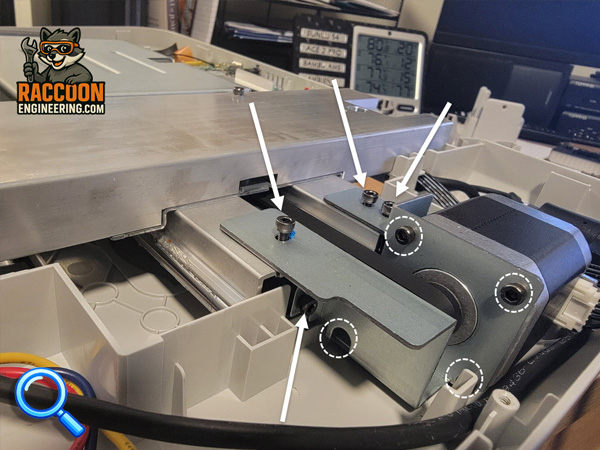
The motor is located under the bottom cover at the back of the printer.
Remove the bottom cover following the procedure here.
Loosen the tension locking screws and tighten the center spring compression screw to remove tension from the belt (see belt tensioning section)
Remove the four screws indicated by yellow arrows (Figure 6) to remove the motor bracket. Once loose, unplug motor and remove the four fasteners indicated by circles and remove motor.
Full Calibration is required after replacing motor,