
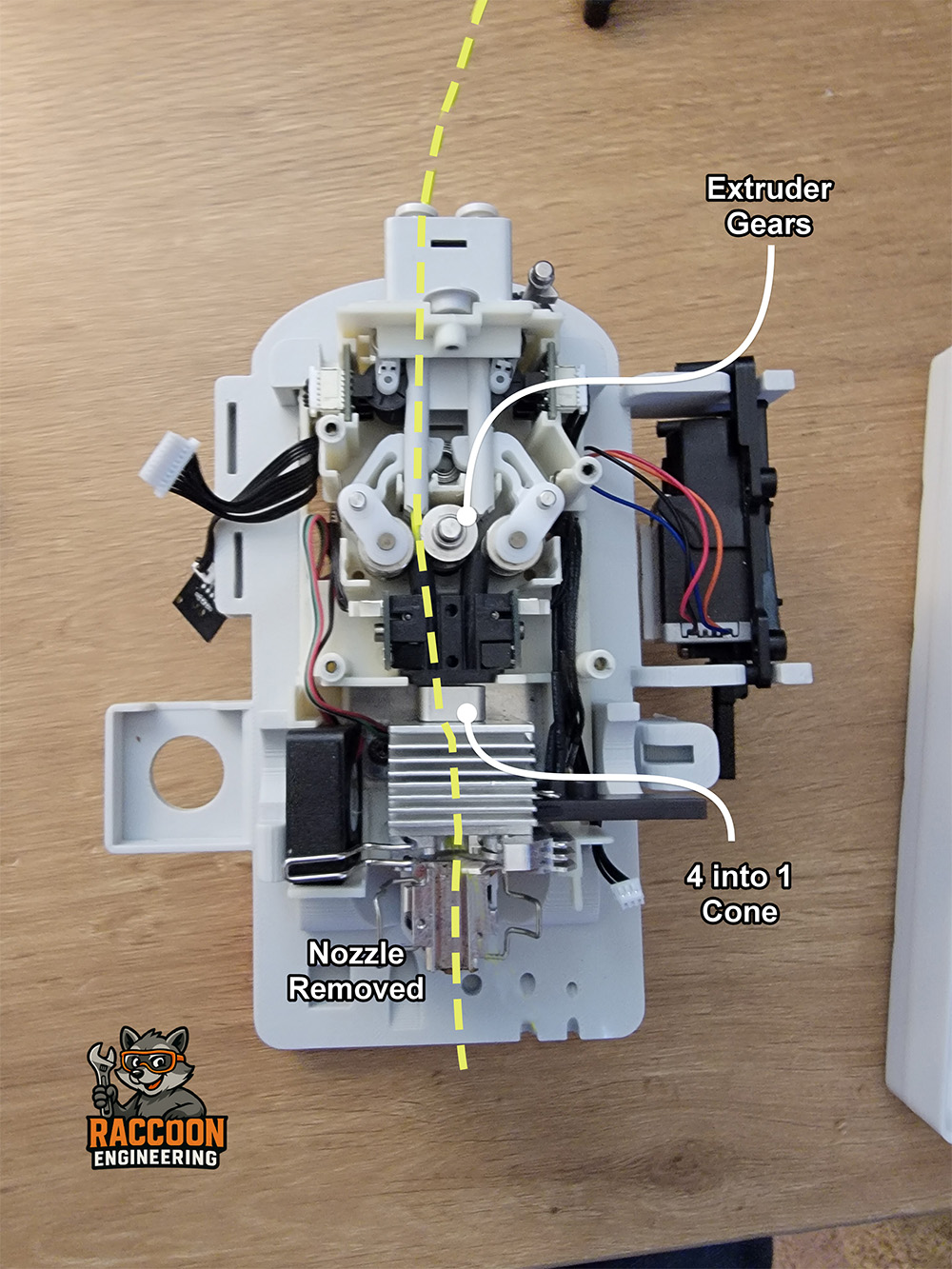
Clogging Issues
"Clogging" is one of the most common problems reported in the Facebook groups. However, it's easy to jump to the wrong conclusion. Most people immediately assume the nozzle is clogged, but that's rarely the actual problem. While on the subject of nozzle clogs, many people take out the nozzle and look in the top end and see filament in there and assume its clogged. There will ALWAYS be filament in your nozzle after the first use. The filament from your last print will be pushed out by the next filament in your next print.
Before tearing down your printhead, try these two simple checks:
1) Disable Clog Detection
Go to Settings → Print Settings → Filament Clogging Alert and turn Clog Detection off. This feature has been known to trigger false clog warnings.
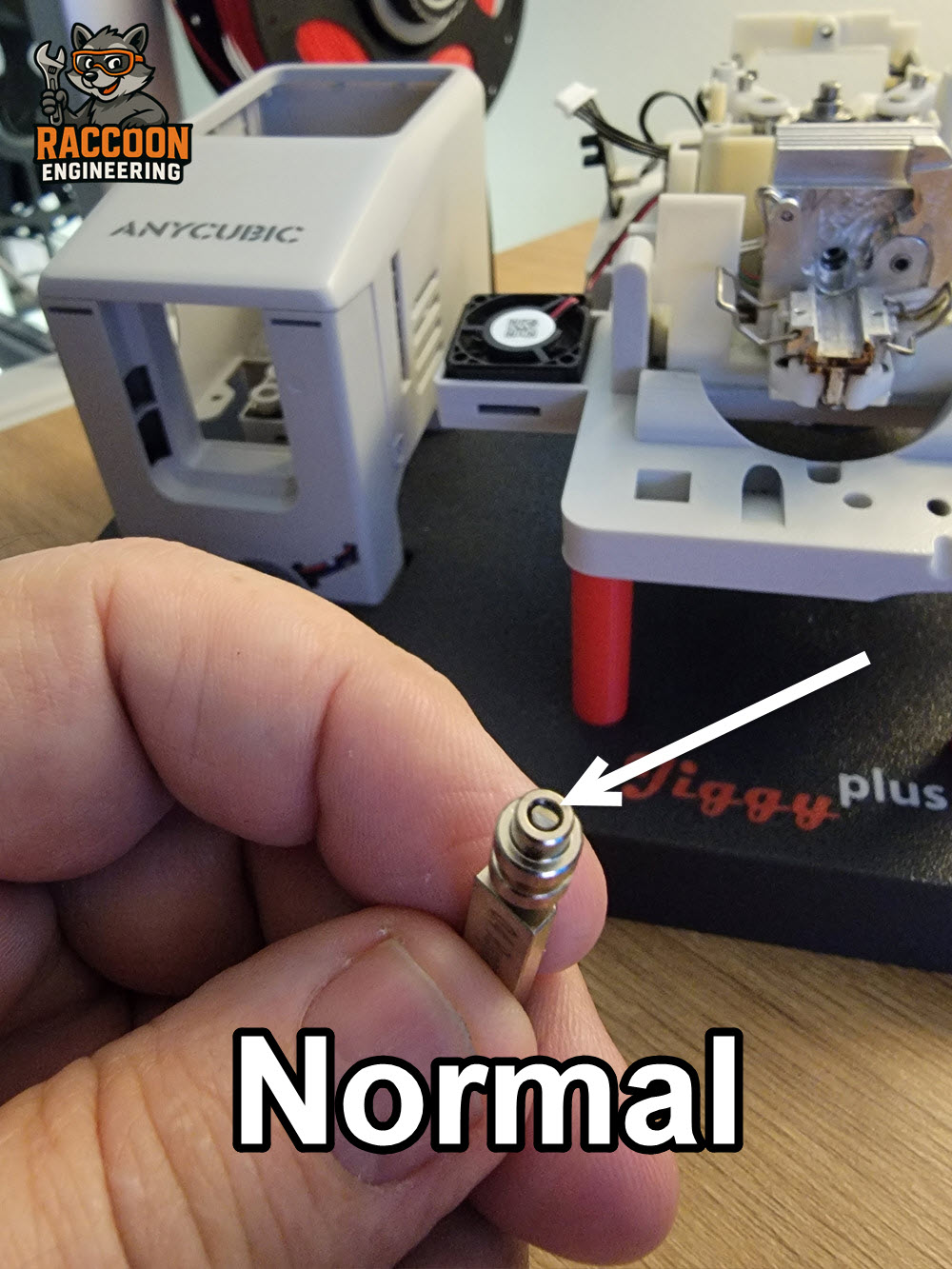
2) Verify Filament will pass through
Remove the Bowden tubes from the top of the printhead and remove the nozzle. Push a piece of filament through each of the four channels from the top. The filament should pass completely through the printhead and exit the bottom. IMPORTANT: The nozzle will always have filament in it after first use. This is totally normal. Do NOT assume it is clogged (figure 2).
If filament passes freely through all four channels, the printhead is likely not clogged. At that point, you either have an extrusion issue (covered below) or a clogged nozzle.
Extrusion Problems
If your extruder motor is turning normally, the problem may be the extruder drive gears.
If you can't push filament all the way through, you have a blockage inside the printhead. The most common location is in or just below the 4-to-1 cone.
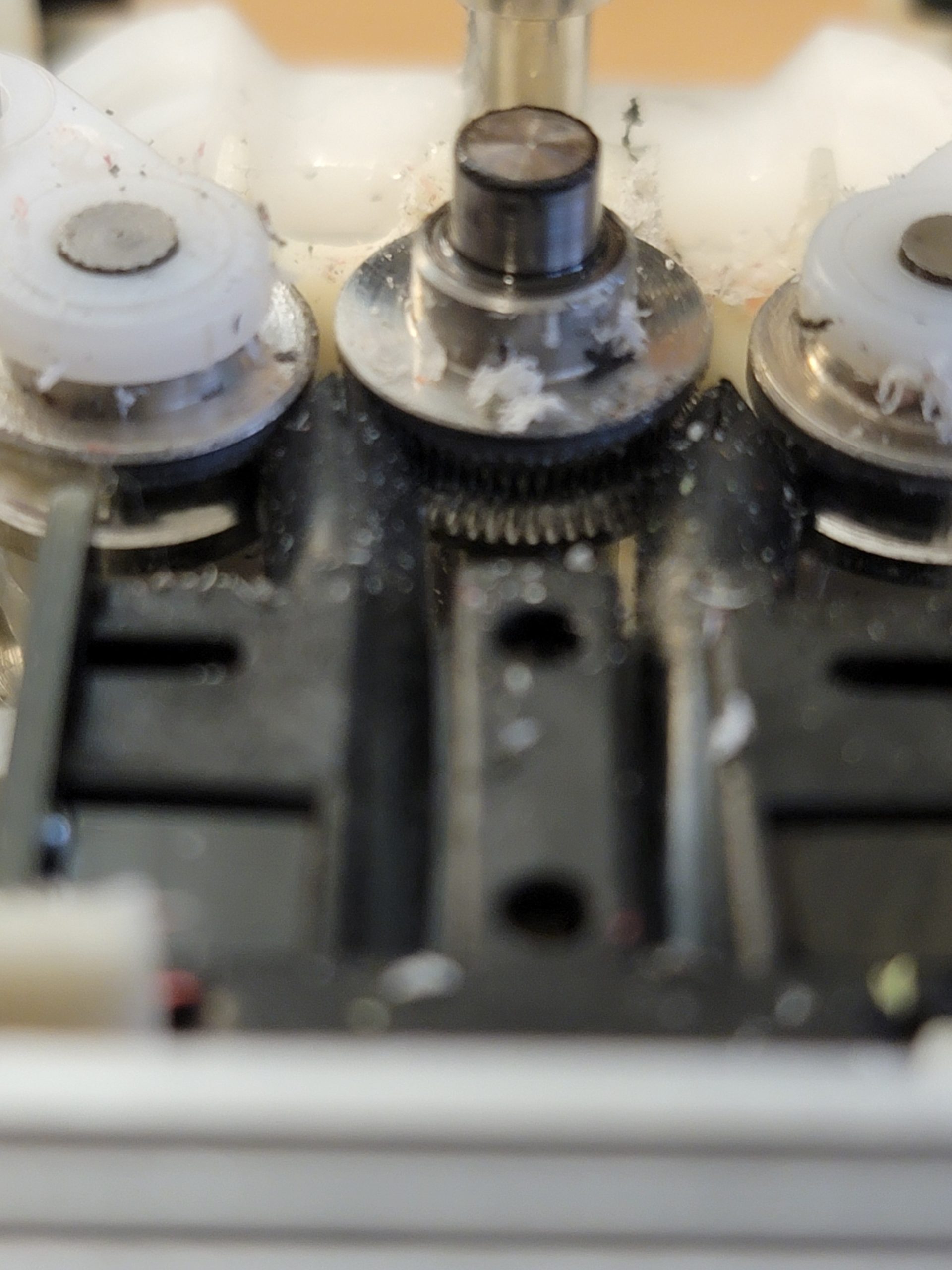
Over time, filament can pack into the serrations of the drive gears (figure 3), reducing their ability to grip the filament. This buildup is often caused when filament snags or encounters excessive resistance while the extruder continues trying to feed it, essentially grinding the filament into fine dust.
Many users have also reported excessive buildup when printing with white or gray filaments. These colors commonly use titanium dioxide as a pigment, which may contribute to increased residue on the drive gears.
To clean the gears:
Start with compressed air (a can of air works well).
If necessary, use a dental pick or similar tool to remove stubborn debris from the gear teeth.
In most cases, compressed air is enough to remove PLA buildup.
Note: Filament breaking inside the printhead is more than likely a filament issue. TPU issues is outside the scope of this document.
For complete printhead disassembly and service procedures, refer to our Printhead Technical Overview document or watch one of the step-by-step videos in our Video Library.